Table of Contents
Have you ever spent late nights checking charges and searching for client details? Many small business owners, freelancers, and contractors in the U.S. know this feeling. A free invoice template can change this stress into clear, on-time billing.
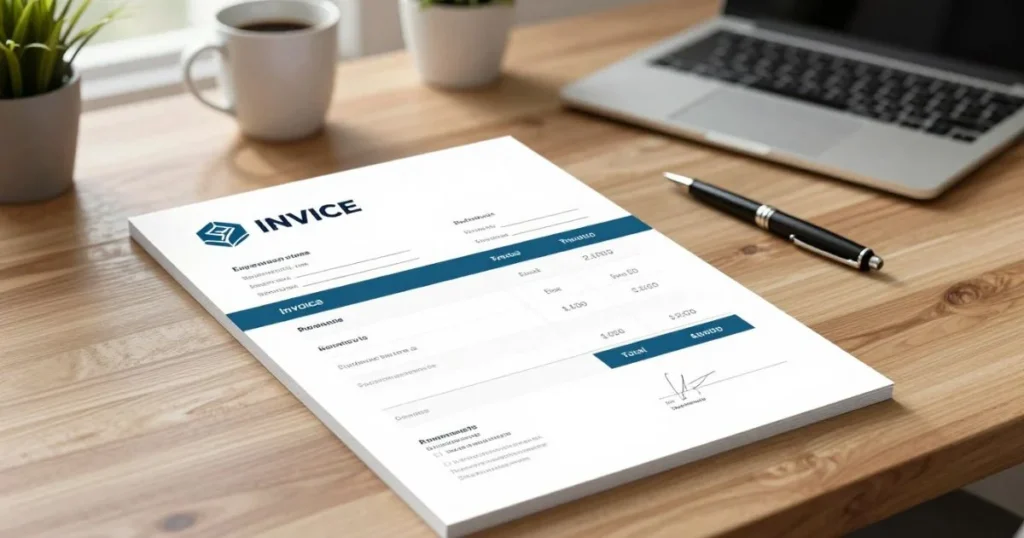
A free invoice template is a pre-made document. It’s available in Microsoft Word, Excel, Google Docs/Sheets, or as a printable PDF. It lets you bill clients without starting from scratch. Whether you use a simple Word file or an Excel sheet, these templates offer a standard layout for charges, invoice number, date, and payment terms. This makes bookkeeping and tax time much easier.
This guide shows why a simple invoice template is important. It makes billing easier, reduces errors, and standardizes records. It also speeds up payment cycles by providing clear, professional invoices that follow U.S. bookkeeping practices.
This tutorial is for small business owners, freelancers, consultants, and sidepreneurs looking for a cost-effective invoicing solution. We’ll cover choosing between printable and digital templates, setting them up, and sending invoices to clients.
You’ll find templates in Word (.docx), Excel (.xlsx), Google Docs and Sheets, and PDF formats. Consider your editing needs and mobile access when choosing the right format for your workflow.
Key Takeaways
- Free invoice templates save time and reduce billing errors.
- Templates come in Word, Excel, Google Docs/Sheets, and PDF formats.
- Use clear invoice numbers, dates, payment terms, and itemized charges for U.S. bookkeeping.
- This guide targets small businesses, freelancers, and contractors needing simple invoicing.
- You’ll learn how to choose, customize, save, print, and send invoices.
Why choose a free invoice template for your business
A free invoice template gives you a professional layout without a subscription. Microsoft Office, Google Workspace, FreshBooks, and Wave offer ready-made files. These templates are perfect for startups and sole proprietors, saving you money while keeping invoices clear and consistent.
Benefits of using a free invoice template
Templates save you money right away. You avoid paid software fees and cut design time. A good template includes important details like invoice number, date, and payment terms, making invoicing more efficient.
Consistency is key for bookkeeping and client recognition. A professional-looking template, whether for freelancers or small businesses, can speed up payments. Always download from trusted sources and keep client data secure.
When a simple invoice template is the right choice
Simple templates are great for low-volume billing or one-off projects. Freelancers, like writers and photographers, often find them useful. They are perfect for service work without complex tax rules.
But, if you have high invoice volume or complex tax rules, you might need more. Start with a free template and upgrade to QuickBooks or Wave later. This way, you can keep the same invoice numbering for a smooth transition.
Printable invoice template vs. digital invoicing: pros and cons
Printable templates offer tangible records and easy signatures. But, they can be slow to track and may get lost. Digital invoicing is faster, with benefits like quick delivery and easy payment links.
Digital invoicing also has lower postage costs and cloud backup. Excel or Google Sheets can help with batch processing and CSV exports. Your choice depends on client preference and your invoicing needs.
Consider a hybrid approach for in-person sales. Email a PDF and keep a printed copy. Check if clients prefer paper, if you need integrated payments, and how your bookkeeping handles imports.
Use this checklist to decide: invoice volume, client preference, payment link needs, bookkeeping workflow, and compliance rules. This will help you choose the best option for your business and ensure smooth cash flow.
How to set up and customize a free invoice template
First, decide what you need from an invoice. You might want quick, printable invoices for a local client or a workbook that does math for you. Use this list to pick the right invoice format and avoid redoing layouts later.
Choose the right file type: go for simple invoice template Word for polished branding and easy text changes. Choose invoice format template Excel for formulas, logs, or bulk exports. Compare Word vs Excel invoice features to pick the best for your workflow.
Google Docs and Google Sheets are great for cloud collaboration. They work like Word and Excel, let you share editable copies, and make version control easy for teams working from different devices.
Core invoice fields to include: your business name, logo, address, phone, and email. Add a unique invoice number, date, due date, and clear payment terms. This list covers the essential fields for smooth audits and bookkeeping.
Itemize goods and services with clear descriptions, quantity, price, and line totals. Show subtotal, taxes, discounts, shipping, and total. Make sure currency and totals are easy to read.
Include payment instructions and methods. State bank transfer details or a secure payment link and your late-fee policy clearly. Free templates often include these payment notes to avoid delays.
Branding and layout tips: aim for a branded template with a design that shows your company colors. Use a high-resolution logo and limit colors to two or three. Keep a clean layout with bold totals and left-aligned numbers.
Choose legible fonts like Calibri or Arial and ensure there’s enough white space. Printable templates should look good in grayscale. Test how the layout looks in printable invoice template PDF for clients who prefer email attachments.
Save and organize: keep a master copy labeled “Master” and duplicate it for every invoice. Save as .docx for Word or keep an Excel workbook with formulas. Use consistent file names like Invoice_2026-02-001_ClientName.pdf for easy retrieval.
Back up invoices to OneDrive, Google Drive, or Dropbox and keep local copies for safety. For Excel, use export options like CSV when moving to accounting software.
Print and send: set page size to US Letter 8.5″ x 11″ and check margins before printing. Test-print a sample on your chosen paper to ensure everything looks right.
When emailing an invoice, attach a printable PDF unless the client wants an editable file. Use a clear subject line and a brief message with payment instructions. For recurring billing, reuse the master template and update invoice numbers and dates only.
- Verify templates from Microsoft Office, Google template gallery, or trusted providers like FreshBooks and Wave.
- Scan downloads for malware and check licensing terms before commercial use.
- Remove hidden metadata when sharing sensitive files and use password-protected PDFs if needed.
Conclusion
Using a free invoice template is a smart move. It helps you bill consistently, cuts down on mistakes, and looks professional. This approach works well for freelancers and small businesses.
Choose the right template based on your work style. Use Word for documents you can print. Excel is good for calculations and managing multiple invoices.
Customize your template with your logo and important details. Save a copy and set up a system for sending and tracking invoices.
As your business grows, watch how you handle invoices. You might need tools like QuickBooks or PayPal Invoicing for more features. Keep your invoices numbered and backed up for taxes and audits.
With a good free invoice template, you can get paid faster and keep your finances in order. It’s a cost-effective way to manage your money.
FAQ
What is a free invoice template and why should you use one?
A free invoice template is a pre-made document for billing clients. It saves time, reduces errors, and looks professional. This can help get paid faster.
Which file format should you choose — simple invoice template Word or invoice format template Excel?
Use Word for a polished look and easy editing. Excel is best for calculations and batch invoicing. Google Docs/Sheets are great for cloud-based collaboration.
What essential fields must appear on every invoice?
Every invoice needs your business info, the client’s details, and a unique number. It should also have the invoice and due dates, payment terms, and a clear total. Include itemized costs and payment instructions.
How do printable invoice templates differ from digital invoicing?
Printable templates are for in-person or mailed bills. Digital invoices send instantly and track payments better. But, some clients still prefer paper.
Where can you safely download free invoice template files?
Safe sources include Microsoft Office, Google Workspace, and accounting sites like FreshBooks. Always check for malware and verify licensing.
How should you name and store invoice files for good recordkeeping?
Use a clear naming system like Invoice_YYYY-MM-DD_InvoiceNumber_ClientName.pdf. Keep a master template and dated copies. Organize files by year and client, and back them up online.
What are best practices for branding and layout on a simple invoice template?
Choose a clear font and limit colors to two or three. Include a high-resolution logo and leave enough white space. Make sure it prints well and is easy to read.
How should you handle payment instructions and sensitive bank details?
Clearly list payment methods and details. Avoid sending full bank account numbers via email. Use secure channels or payment links for sensitive info.
When is a simple invoice template insufficient and you should switch to invoicing software?
Switch to software for high volume invoicing, automated billing, and advanced reporting. Platforms like QuickBooks can simplify these tasks.
Can you import Excel invoice data into accounting software?
Yes, you can export Excel invoices as CSV or copy them into accounting systems. Make sure your Excel template matches the software’s import requirements.
How do you create a printable invoice template that prints correctly on US Letter?
Choose a template sized for US Letter (8.5″ x 11″). Check margins and page breaks. Preview and test-print a sample on quality paper.
What fields should freelancers and contractors include for tax and bookkeeping purposes?
Include your business name, address, and client details. Add invoice numbers and dates, line items, and tax amounts. Keep copies for three to seven years.
How can you track invoices and follow up on late payments?
Use a spreadsheet or accounting tool to track invoices. Set reminders and send polite follow-up emails. Include a late-fee policy for frequent late payers.
Is it better to send a PDF or an editable Word/Excel file to clients?
Send a PDF by default to preserve the layout. Only send an editable file if the client asks. Use secure attachments or payment links for sensitive info.
How do you keep consistent invoice numbering when switching from templates to software?
Export historical invoices and client lists. Set the software’s starting invoice number to continue your sequence. Keep the same numbering for easier audits and bookkeeping.